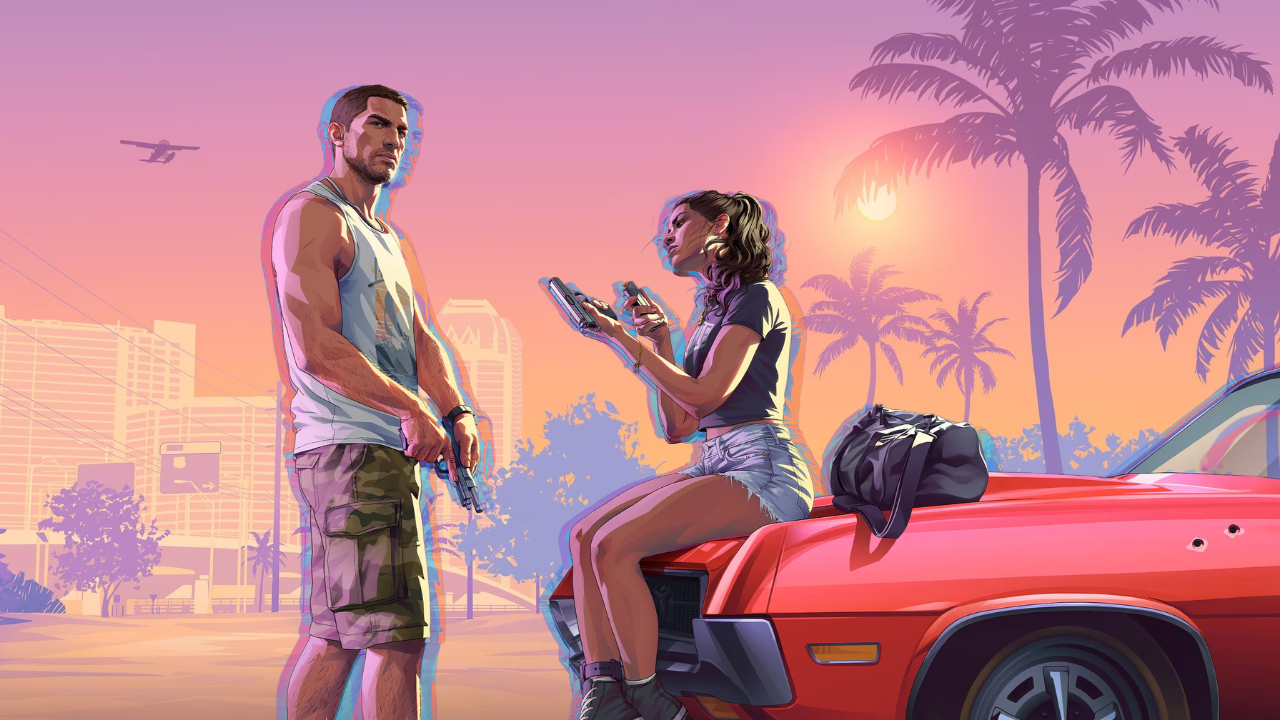
Rockstar Games has confirmed that pre-loading for the long-awaited Grand Theft Auto VI begins next Tuesday, November 10, nine days ahead of the game’s global launch. Leaders at the North American game studio broke down pre-load details in a Tuesday news release.
“The arrival of Grand Theft Auto VI on PlayStation 5 and XBOX Series X|S consoles is now only a few weeks away,” the update begins. “There’s still time to pre-order and ensure you’re able to experience Grand Theft Auto VI when it launches on November 19.”
According to Rockstar, PlayStation 5 users can begin digitally pre-loading their copy of Grand Theft Auto VI onto their home console “on Tuesday, November 10 at midnight local time in [players’] respective time zone.”
As for XBOX Series X|S users, global pre-loading begins at 12 a.m. UTC/4 p.m. PST/5 p.m. MST/6 p.m. CST/7 p.m. EST that same day.
According to Rockstar’s news release, “[c]ode-in-box versions for both consoles should be available from retailers beginning November 12.”
As for file size, I suggest making a little room. Rockstar’s latest announcement confirms the game’s pre-load file will require an estimated 212 GB depending on players’ devices.
How to automatically pre-load Grand Theft Auto VI

A newly updated Rockstar Games Support article offers Grand Theft Auto VI players-in-waiting comprehensive pre-load instructions for their respective hardware.
Players joining Jason and Lucia on PlayStation 5 can auto-download their pre-order with a few simple steps, but make sure you’ve enabled auto-download and either powered on your console or set it to Rest Mode:
- From your games home, select Game Library and then select your pre-ordered game.
A timer counting down to the game’s release appears.- Select the timer.
A list of contents included with your pre-ordered game appears. If the checkbox next to the content is selected, auto-download is enabled.- Clear the checkbox next to the content for which you want to turn off auto-download, and then select OK.
- To turn off auto-download for all content, clear the checkbox for Select All, and then select OK.
Is the XBOX Series X|S your portal to Leonida? If so, you can prepare your console for pre-loading by enabling automatic updates and either powering it on or putting it in Sleep Mode:
- Press the XBOX button to open the guide.
- Select Profile & system > Settings > System > Updates.
- Under Updates, select Keep my console up to date to update your console automatically and Keep my games & apps up to date to update games and apps automatically.
PC players will have to wait a little longer to play Grand Theft Auto VI. According to recent insider speculation, PC gamers will likely see Rockstar Games release GTA VI on PC within “the first three months of 2027.”
A larger-than-life franchise needs some elaborate promo, right? Rockstar Games is turning up the Heat — literally and figuratively — on November 18 as they join forces with the NBA’s Miami Heat for “A Night in Vice City,” a franchise-focused theme night that will transform the team’s home court into Vice City. The team will even play in event-exclusive jerseys on a modified court.
Pre-order Grand Theft Auto VI on Rockstar’s website now, and tune into the game’s already-iconic original soundtrack.
Follow Outrun Gaming on MSN for more content you love.
RELATED →
- Acclaim to publish top-down roguelike shooter Die or Die
- Phantom Blade Zero sells 4m copies in three days
- Five new indies for gamers who looooove Vampire Survivors